

This enhancement to the RI System Software implements a "check unit" that is used to test the system for drift during the testing of a lot. The check unit (c-unit) is selected and tested during part setup by the technician performing the changeover duty. Later, during the tesing of the production lot, the c-unit is tested at the start and end of the lot. The data are compared to the measurements of the same part taken by the tech during the test stand setup. If the part fails or if it drifts beyond a limit-checked range, the entire lot is marked as "suspect".
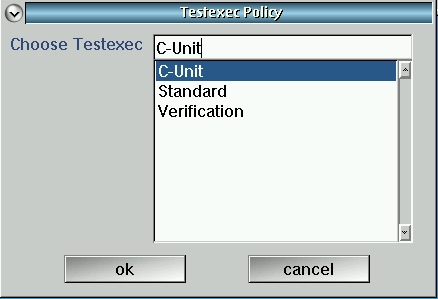
To support this methodology, the test executive has been enhanced with a new "C-Unit" variant that must be chosen at the time the test exec is created, as shown below:
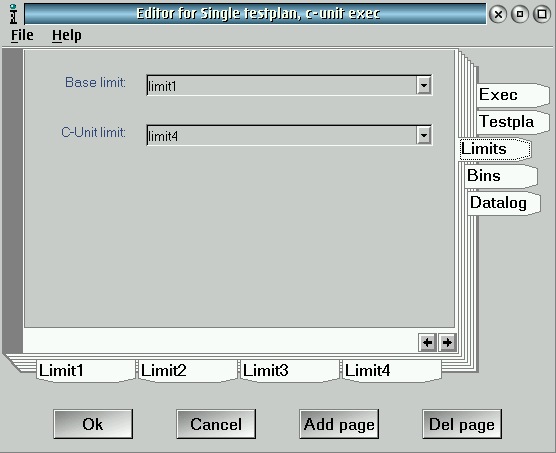
During the creation of the test exec, all fields work exactly as in the "Standard" exec. There is one additional place for a limit file, on the "Limits" tab. The choice in the drop-down box must match one of the minor tabs below. This limit is a DIFFERENCE allowed between the original c-unit measurement and subsequent measurements. For example, if you want the gain test to be within ±0.25 dB then set the min to -0.25 and the max to 0.25 dB.
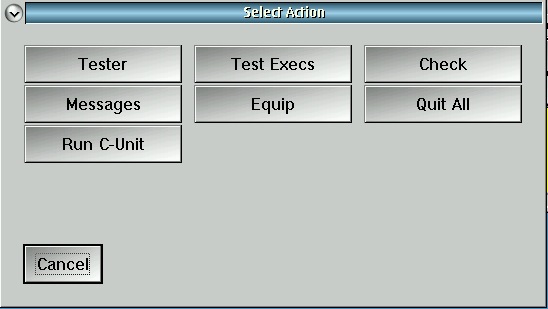
During the setup of the test stand for the new part, the technician must choose a representative c-unit part and measure it with the special "Run C-Unit" window:
The technician next chooses the production test exec that will be used for the lot. This determines the testplan and limit set which will be used to validate the c-unit. After choosing the test exec, the window opens for operation:
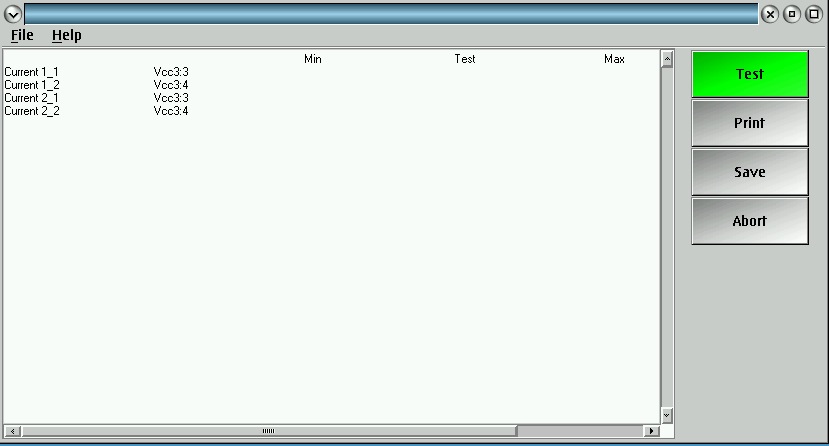
At this point, pressing "Test" will cause a part measurement, "Print" will print a report of the measurements, "Save" will save the chosen c-unit data to the Guru, and "Abort" will quit without saving any data. The buttons change color to indicate the next expected step. For example, a failing part indicates the "Save" button is invalid:
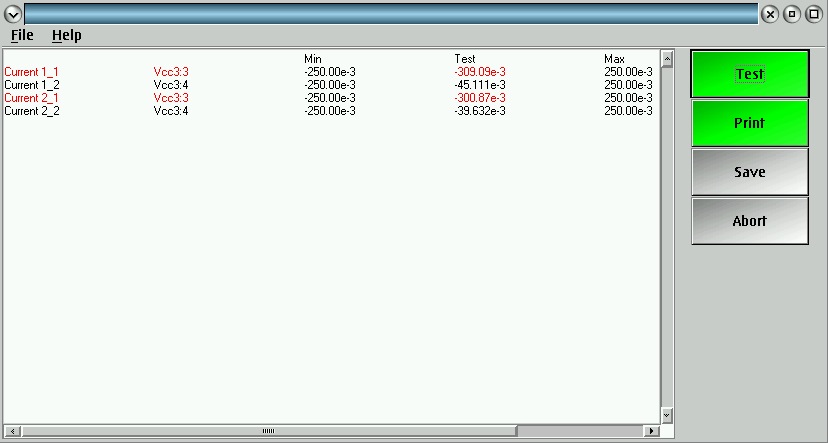
After getting a passing part and saving the data, the "Run C-Unit" window may be closed and the test stand is ready to move into production. The C-Unit data saved will remain valid for 24 hours and then the system will force another c-unit to be chosen.
The production test exec is started like any other. The fact that the exec itself is a "C-Unit" type will force the c-unit methodology to be observed. There is no way to bypass the c-unit methodology for a C-Unit typed exec. The exec starts and runs like any other, but when it receives a special "C-Unit" command from the COMET handler, it surfaces a c-unit test window similar to the one used to create the c-unit:
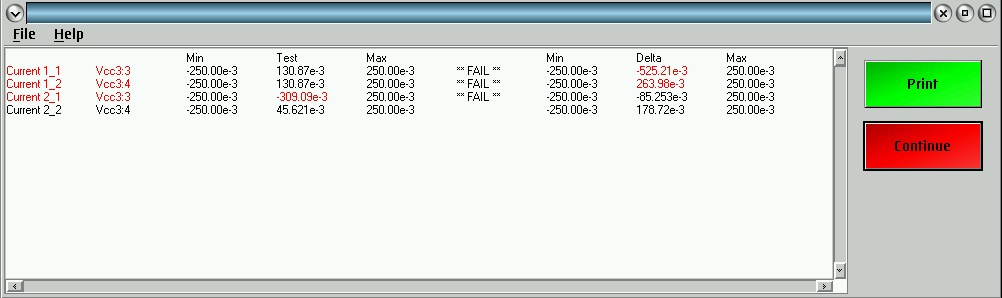
This display shows the actual measurement and limits as well as the difference between the measurement and the stored c-unit measurement, and the difference limits. Any failing rows from either limit are indicated by color and "** FAIL **" in the row. If the c-unit fails, as in this case, the handler may be triggered to initiate another c-unit test (removing and re-plunging the part) or the Continue button will cause another test run without touching the part. The Print button causes a printout to be made at any stage, regardless of passing or failure of the c-unit. If the c-unit fails and the operator tries to close the window or "Stop" the exec, a warning message appears:
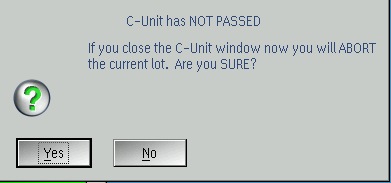
Hopefully this warning will prevent any accidental loss of data. If the c-unit passes, pressing the Continue button dismisses the C-Unit window and resumes normal operation of the test exec and handler, until the next c-unit measurement is invoked by the COMET handler. If the operator tries to dismiss the C-Unit window without first printing the c-unit measurement, a warning appears:
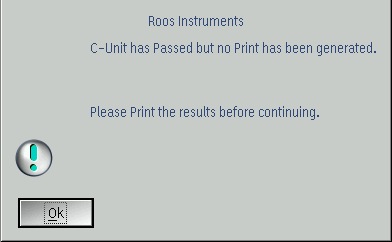
Again, this should cut down on missing c-unit test results and reduce operator error.
The locked shortcut attached below has all libraries needed to use the c-unit executive described above. BE SURE YOU LOCK YOUR OWN SHORTCUTS BEFORE LOADING NEWER PATCHES ON YOUR TESTER. It can have unexpected effects if your valuable production exec is using an unlocked shortcut!
 FSCUNIT.gzp